free gallery scorecard
Airbnb photo editing service
Airbnb photo editing service for truthful listing photos.
Improve dark, cold, tilted, or inconsistent Airbnb photos without making the property look like a different stay. The service is built for hosts who need better clicks and stronger guest trust at the same time.
$250 package
Up to 20 edits included
$5/extra photo
Airbnb import
Review before delivery
Reviewed by PMG
Updated 2026-07-14
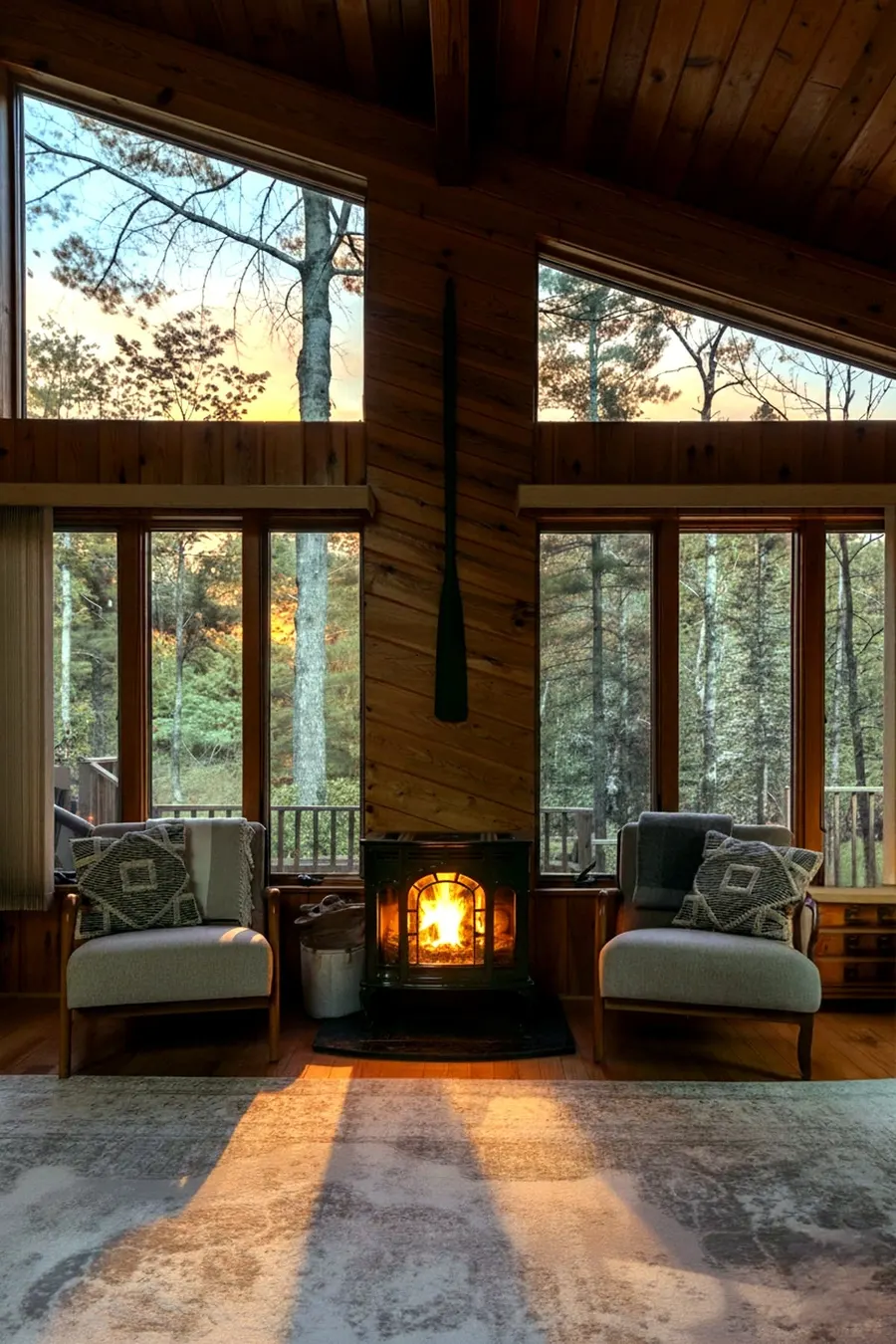
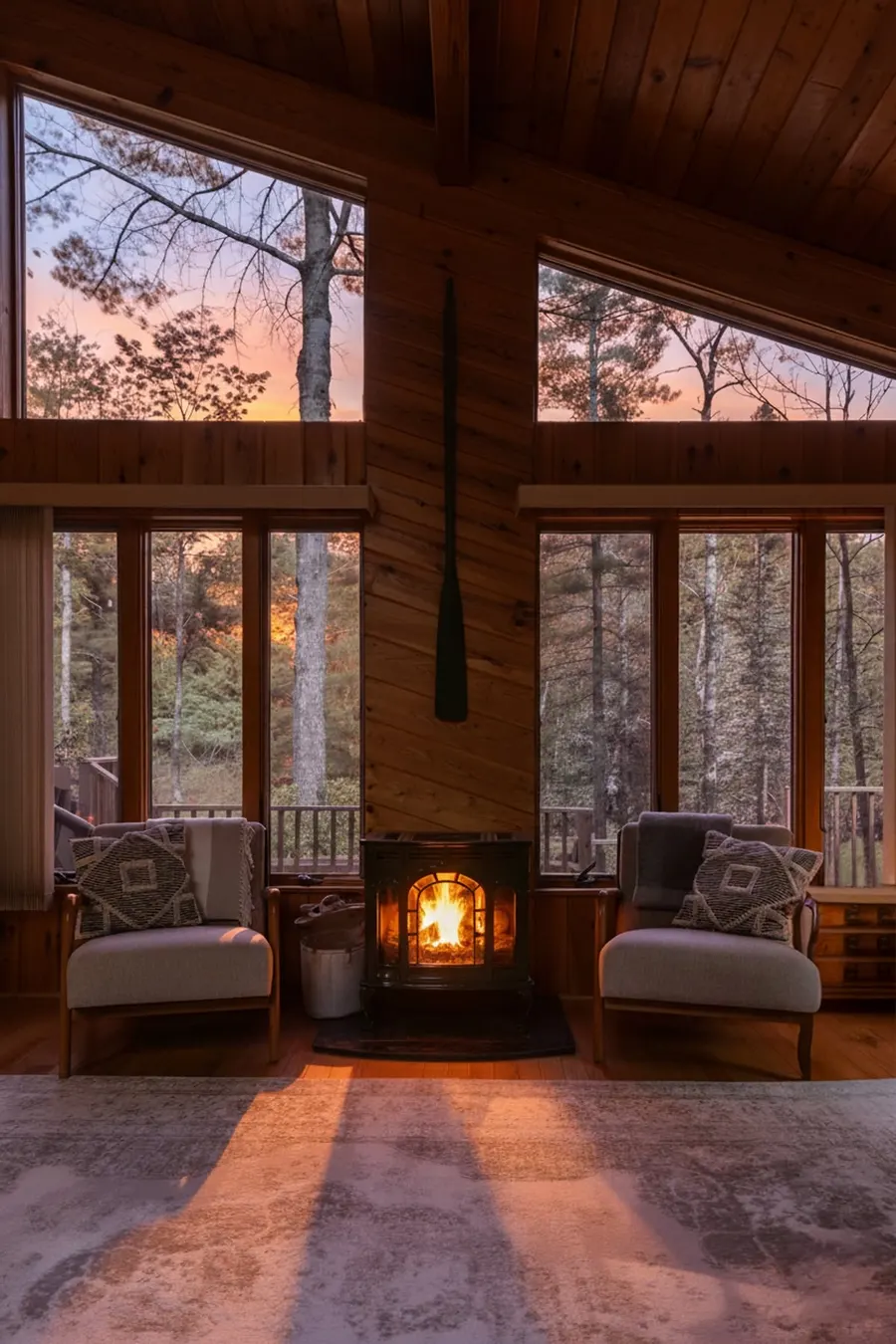
BrighterExposure, shadows, and color corrected
StraighterPerspective cleaned up when useful
TruthfulNo fake amenities, views, or layouts
Quick answer
Can Airbnb photos be edited safely?
Airbnb photos can be edited safely when the edit makes the real space easier to understand without changing what guests will find. Good listing photo editing improves exposure, shadow detail, color balance, perspective, clarity, and small presentation issues. It should preserve the same room layout, furniture, fixtures, access, view, amenities, and property condition. For hosts, the best candidates are accurate photos that look too dark, cold, tilted, cluttered, or inconsistent to earn a click. The risky edits are different: adding a hot tub, changing a driveway, inventing a window view, hiding damage, replacing furniture, or making rooms feel larger. Listing Photo Optimizer uses review notes before generation and human approval before delivery, so the finished Airbnb gallery can look more polished while still matching the real stay. This gives hosts stronger search-result photos while reducing the chance of disappointed guests, refund requests, or review complaints.
First-hand proof
Approved cabin samples, not scraped platform photos.
The service page links to a first-party proof gallery built from Pure Michigan Getaways photos. It shows the same review standard used for customer work: one stronger hero slot, supporting gallery edits, and clear notes about what stayed true.
View first-party proof01Permission-first examples
The page uses approved sample assets instead of copied Airbnb, Vrbo, or host photos without consent.
02Protected property details
The hot tub, entry, fireplace, structure, fixtures, and room layout remain tied to the real source photos.
03More than one room
Use the full examples page to compare natural, polished, and higher-impact edits across interiors and exteriors.
What gets improved
Fix the photos that make guests hesitate.
Dark roomsImprove
Lift exposure and shadow detail without inventing light sources.
Cold colorImprove
Make the room feel warmer while preserving real materials and fixtures.
Tilted wallsImprove
Clean perspective so rooms feel more professional, not larger than reality.
Weak cover photosImprove
Give the best real image stronger lead-photo polish.
Distracting clutterReview
Small temporary distractions can be cleaned only when they do not hide real condition.
Fake upgradesNo
No added hot tubs, views, furniture, pathways, rooms, or permanent changes.
Positioning
Not virtual staging. Not fake luxury. Better real photos.
The goal is a clearer, more clickable gallery that still matches what guests find when they arrive.
Best fit
- Airbnb hosts with accurate but weak photos
- Vrbo and Booking.com hosts reusing the same gallery
- Direct-booking sites that need stronger image trust
- Owners not ready for a full reshoot
Bad fit
- Photos you do not own or control
- Requests to hide damage or access problems
- Requests to add amenities guests will not receive
- Listings that need new room coverage, not editing
How it works
Order once, then review the finished gallery.
The workflow is built around property accuracy first, because better traffic is only useful if the listing still earns guest trust.
- 01Choose edit strength
Pick Light, Medium, Heavy, or Epic Revamp based on how far the real photo can safely go.
- 02Import or upload photos
Use a public Airbnb room link, direct image URLs, or manual uploads for photos you own.
- 03Protect the real property
Each image gets review notes before generation so layout, furniture, amenities, and views stay accurate.
- 04Approve and deliver
Finished images are reviewed before the ZIP download link is emailed.
Photo strategy
Make the gallery stronger before and after the edit.
Use the free scorecard and focused guides to decide what needs editing, what needs a reshoot, and which image should lead the listing.
Browse all resourcesbest Airbnb cover photo
Choose the right lead image
Pick the image that earns attention without setting false expectations.official host guidance
Airbnb photo guidance
Airbnb recommends clear horizontal photos at least 1200 by 800 pixels, with useful room context and captions.official content rules
Airbnb content policy
Airbnb includes photos and AI-edited content under its broader content rules.Complete Listing Photo Refresh
$250 per listing.
Includes up to 20 optimized listing photos, one premium hero image, one people-based lifestyle image when approved, review notes, human approval before delivery, and secure ZIP delivery. Heavy and Epic Revamp are available for photos that can safely support stronger edits.
$250Light or medium edit level
$260Heavy edit level
$300Epic Revamp edit level
$5Each photo after 20
Start order
FAQ
Common questions from hosts.
What does an Airbnb photo editing service improve?
It should improve brightness, color, clarity, perspective, and presentation while keeping the same room, layout, furniture, fixtures, amenities, access, and view.
Can you import my Airbnb listing photos?
Yes. Paste a public Airbnb room link after checkout and the app can import the listing photos. Manual uploads and direct image URLs are also available.
How many photos are included?
The package includes up to 20 optimized listing photos, one premium hero image, and one people-based lifestyle image when one passes review. Extra listing photos are priced per photo.
Will the edit add furniture, views, or amenities?
No. The service is built for truthful listing optimization, not fake staging or property changes. If an edit would mislead a guest, it should not ship.